Captions
Auto captions, made on your computer
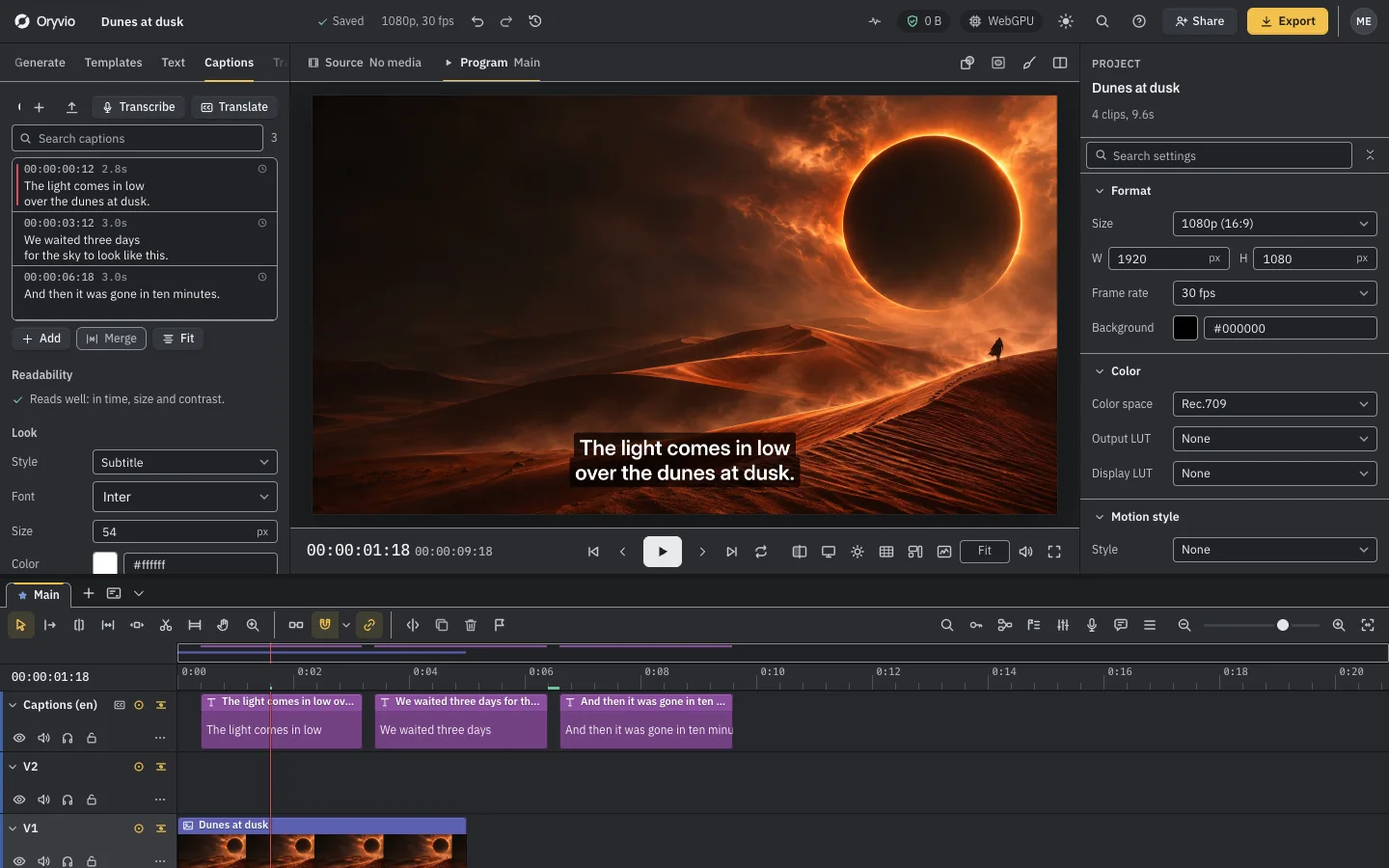
Oryvio listens to your video and writes down what’s said, word by word, in this browser: nothing’s uploaded. Captions break where people pause, keep each word’s timing for karaoke-style looks, and can be styled, burned in or saved as a file.
- 99 languages
- Timed to the word
- SRT, WebVTT, ASS, SCC and TTML
- Runs on your computer
How it works
Step by step
Open Captions
In the media bin, open the Captions tab and choose Transcribe.
Choose a model and a language
Fast is quick and good for clear speech; Accurate is better with accents, noise and names. Find it works out the language, and Write it in English captions any language in English.
Make captions
They go on a caption track of their own, timed to the word. The first time, the model downloads once and is kept in this browser.
Style them, and send them
Pick one of 30 looks and an animation, check them with Readability, then burn them into the export or save SRT, WebVTT, ASS, SCC or TTML.
On your computer
Heard on your computer
Speech is recognized in your browser by Whisper models that Oryvio serves and this computer keeps. What’s said never leaves it, and captions never use credits.
Plans
Which plan has it
Free
The Fast model, in every language
Pro
Fast and Accurate
Studio
Fast and Accurate
Yes, with the Fast model, on every plan. The Accurate model, better with accents and noise, is part of Pro.
No. Captions are made in your browser, and the model is kept on your computer after its first download.
Import SRT, WebVTT, ASS, SSA, SCC or TTML files; save SRT, WebVTT, ASS, SCC or TTML, or a zip with every language at once.
Yes: SCC files of CEA-608 captions, pop-on or roll-up, and TTML in the IMSC 1.1 Text profile, timed by the sequence’s timecode if you like. A MOV can carry 608 captions inside it.
Yes: Write it in English captions speech in any language in English. To put captions into other languages, translate the track.
Every browser Oryvio runs in, with the Fast model. Accurate needs WebGPU and a computer with 8 GB of memory or more, so it isn’t offered in Firefox or on tablets.
The next scene is yours.
Try it on your own footage.
Free to start. No credit card. No watermark.