In your browser
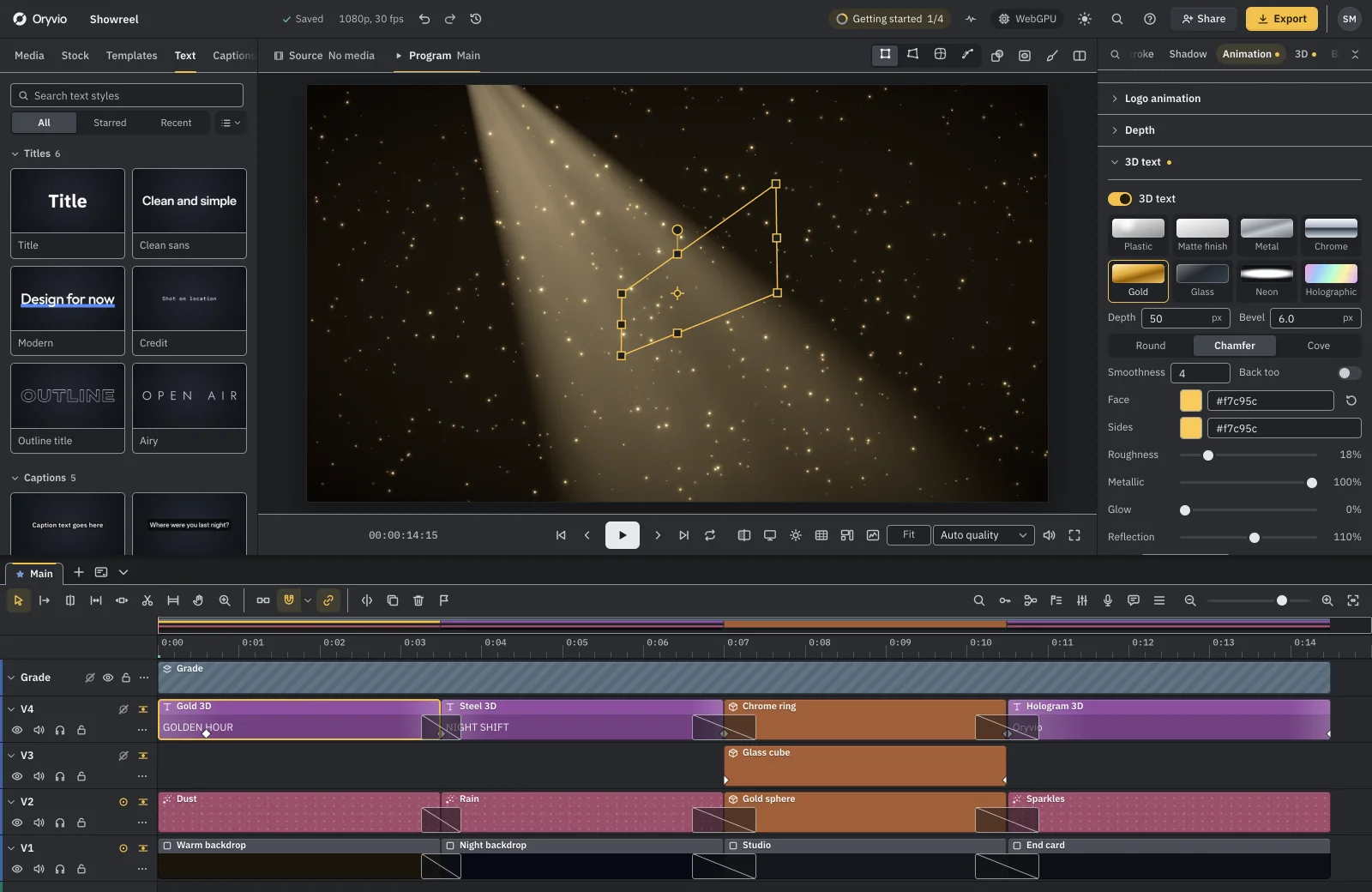
A professional video editor in a browser tab
Oryvio decodes, plays and exports video on your computer, in Chrome, Edge, Firefox or Safari. There’s nothing to install, your footage is never uploaded, and your projects follow you to any computer you sign in on.
- Nothing to install
- Footage stays on your computer
- No watermark
- Runs on your computer
How it works
Step by step
Make a free account
An email and a password, or Google or GitHub. No card.
Bring in your footage
Drop in files or folders. They’re read where they are, kept in this browser’s storage, and never uploaded.
Edit
Tracks, trims, effects, titles, color and sound, as a desktop editor has them, with every edit saved as you make it.
Export
The file is encoded in the tab and saved straight to your computer.
Install it, or work offline
In Chrome or Edge it installs as an app and opens your video files from the Finder or File Explorer. Once you’ve signed in on a computer, the projects you’ve opened there open offline too.
On your computer
Your footage stays on your computer
Your account keeps your edits, thumbnails and version history. The privacy meter in the editor shows how much footage the tab has sent: none, unless you upload a cut for review.
Plans
Which plan has it
Free
The full editor for everyday work, exports up to 1080p, no watermark
Pro
Exports up to 8K and in HDR, professional formats, surround, plugins and more room
Studio
Everything Pro has, and the AI first cut
No. It runs in a browser tab. Installing it as an app is up to you, in Chrome and Edge.
A recent Chrome or Edge on a computer. Firefox and Safari work, with some limits; a tablet isn’t meant to be the main place to edit.
Yes, once you’ve signed in on that computer: the projects you’ve opened there open without a connection, and sync once you’re back.
In this browser’s storage on your computer. Clearing the site’s data removes it, and Safari clears it after 7 days without a visit; on another computer, Oryvio asks for the files again.
The next scene is yours.
Try it on your own footage.
Free to start. No credit card. No watermark.