Keying
Green screen keying, in your browser
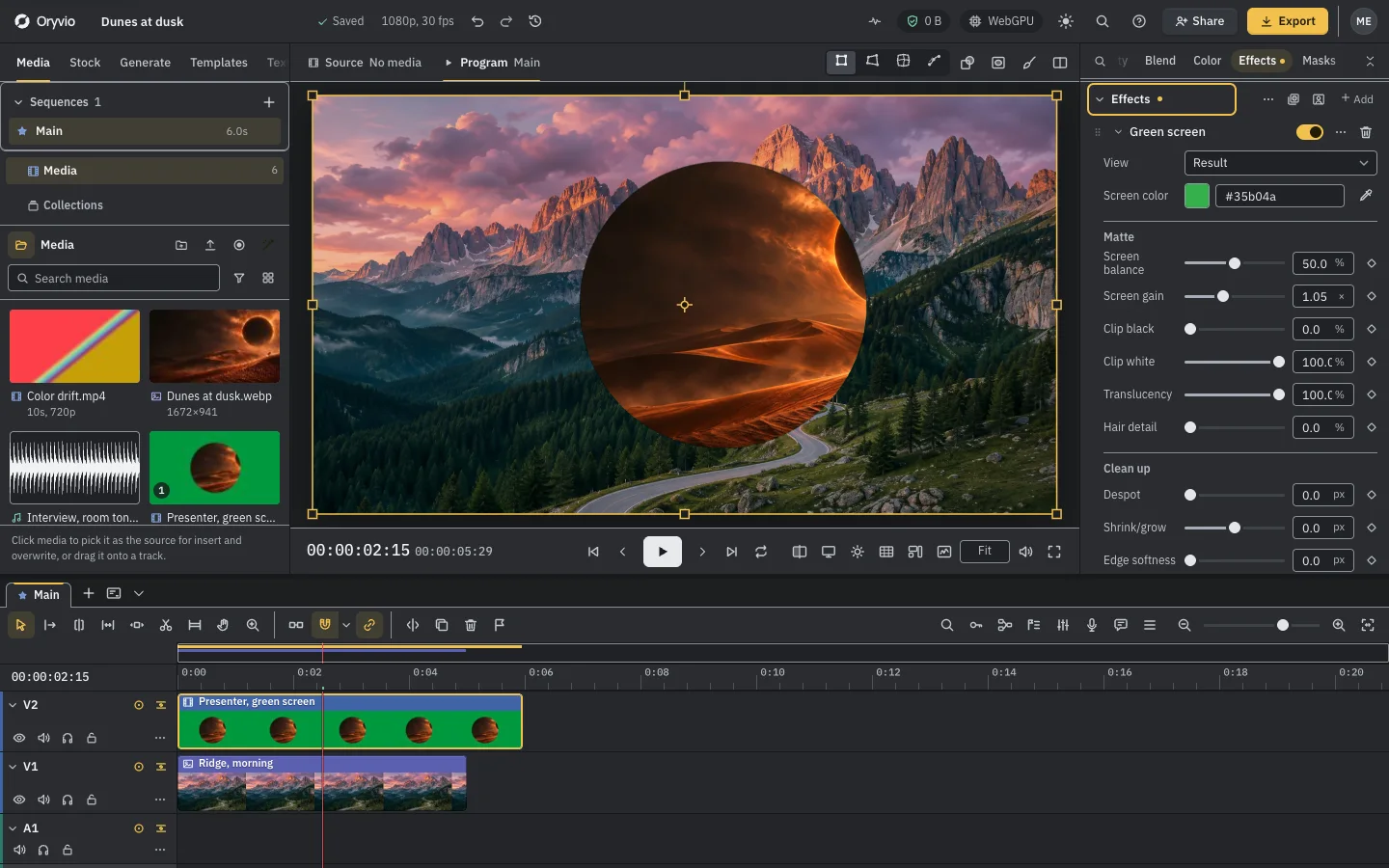
Put Green screen on a clip, pick the screen’s color in the program monitor, and it’s gone: hair, smoke and glass kept see-through where they should be, the green spill taken off the edges, and any background you like behind.
- Green and blue screens
- Spill taken off the edges
- On every plan
- Runs on your computer
How it works
Step by step
Put the background below
Put the new background on the track under your clip.
Add the key
Drag Green screen or Blue screen from the Keying effects onto the clip.
Pick the screen
Use the eyedropper beside Screen color, and click the screen in the program monitor.
Refine it
Look at the matte, then balance the screen, clip its blacks and whites, keep what’s translucent, and clean up the edges and the spill.
No screen?
Remove background takes the background out with AI instead, on your computer too.
On your computer
Keyed on your computer
Keys are drawn on your graphics card in the browser, with nothing to download and nothing uploaded.
Plans
Which plan has it
Free
Every keyer, spill suppression and cleanup
Pro
Every keyer, spill suppression and cleanup
Studio
Every keyer, spill suppression and cleanup
Not for people: Remove background cuts them out with AI, free with Fast. For anything else, Best is part of Pro.
Yes. Translucency keeps see-through parts see-through, rather than cutting them out.
Yes, with Spill suppression, which keeps the subject’s brightness as it takes the green away.
Yes: WebM, ProRes 4444, a GIF, or PNG, OpenEXR or 16-bit TIFF frames keep it.
The next scene is yours.
Try it on your own footage.
Free to start. No credit card. No watermark.