Auto-reframe
Reframe wide video for vertical, automatically
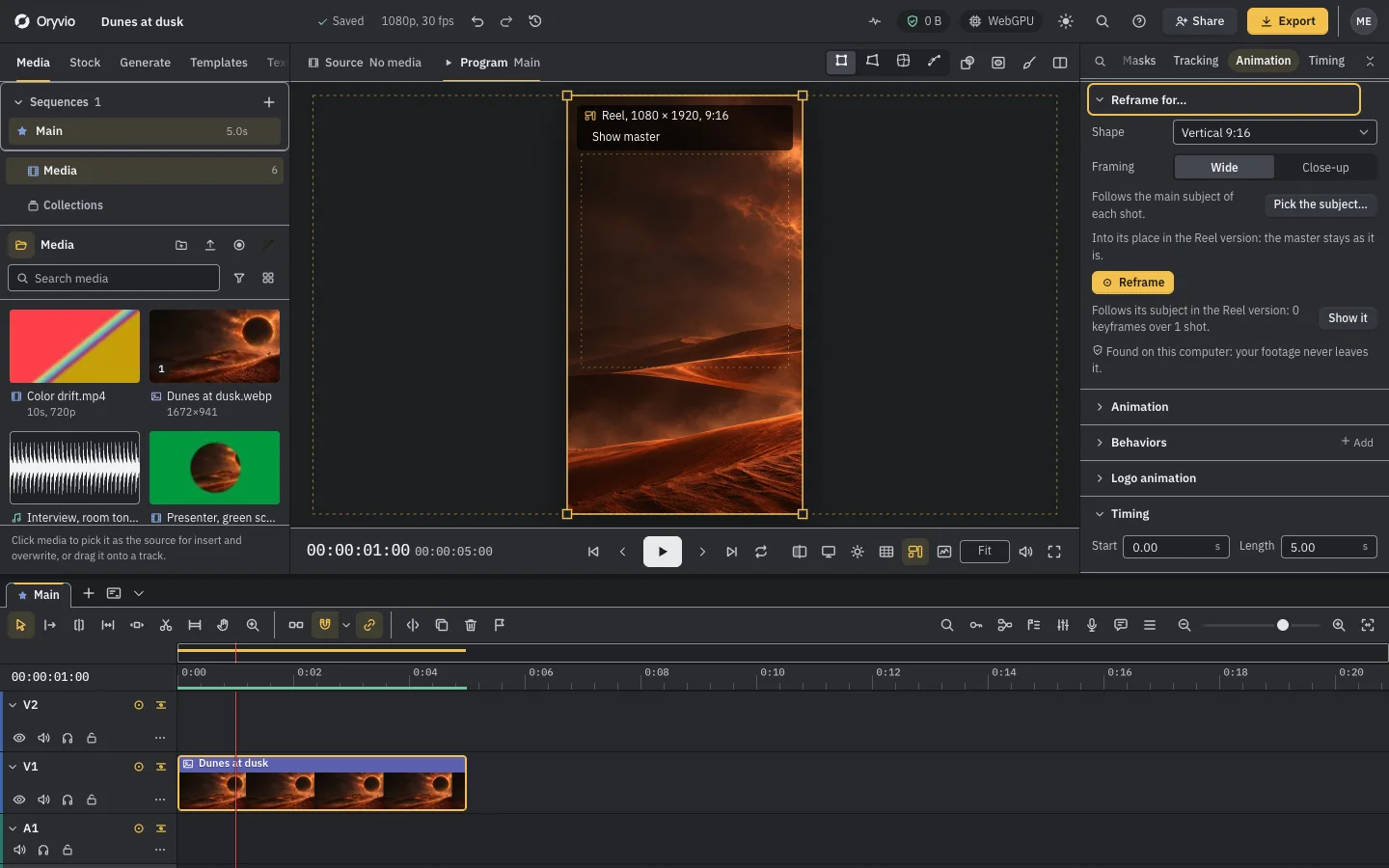
Reframe for… finds the subject of each shot on your computer and moves a frame of the new shape to follow it: eyes on the upper third, room ahead of someone walking, still while they’re still. Every shot is framed on its own, and it never pans across a cut.
- 9:16, 1:1 and 4:5
- Framed shot by shot
- Ordinary keyframes
- Runs on your computer
How it works
Step by step
Select a clip
In the Inspector, under Pan and zoom, open Reframe for…
Choose the shape
9:16, 1:1, 4:5, 16:9 or one of your own, framed wide or close.
Reframe
The subject’s found and followed; if it chose the wrong one, pick another.
Adjust it
What it makes is Position and Scale keyframes, in the sequence or in a version in the new shape, with the original left as it was. Drag the path in the program monitor to change it.
Wherever there’s a new shape
It’s in Export’s Follow the subject, in Versions, in Best moments’ Make a short, and in Describe it too.
On your computer
Found on your computer
The subject finder runs in your browser, several times faster than real time on a graphics card. Nothing is uploaded, and it never uses credits.
Plans
Which plan has it
Free
Not on this plan
Pro
Follow the subject, wherever it’s offered
Studio
Follow the subject, wherever it’s offered
It’s part of Pro. On every plan, an export to another shape can fill, fit or blur the frame, at a position you drag.
Yes. It’s ordinary keyframes in the timeline and a path in the program monitor, and you can pick another subject.
Each shot is framed on its own, and the subject you picked is found again in the other shots by how it looks.
No. The subject finder runs on your computer.
The next scene is yours.
Try it on your own footage.
Free to start. No credit card. No watermark.